All parts
Getting started
Set up your school and account, and take your first steps.
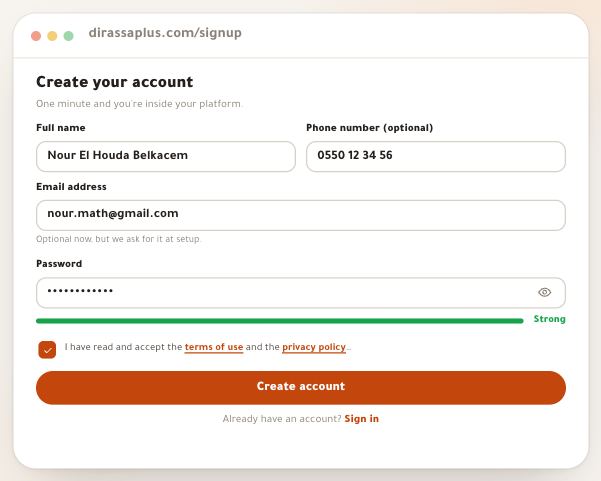
- Create your account and schoolFrom nothing to a school in your name, at its own address: a short form, a code in your inbox, three questions, then a welcome page that leads to your first course. Building is free; you pay when you open your academy to students. Every field and every message you’ll meet is here, with the example “أكاديمية النور للرياضيات”.6 steps · 5 minutes
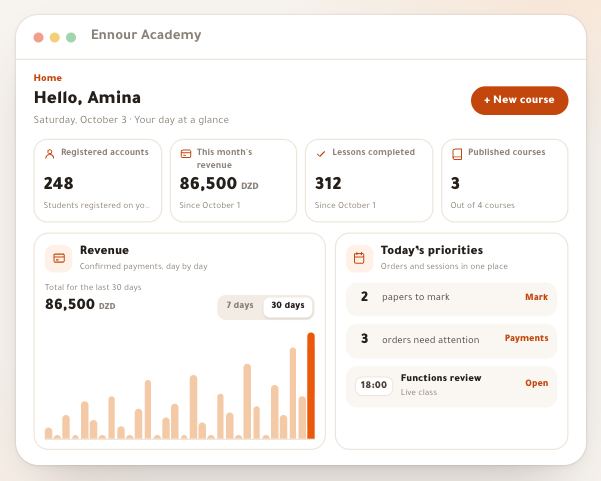
- Your dashboardOnce your academy exists you land on Home: a page that tells you the next step in your first days, then becomes the dashboard of your day: what waits for you first, then the month’s numbers. Every part of it is explained here, with the column of sections and the panel of their pages, the “You are here” path and search, the phone, the account menu, the My account page and Noqta. The frame is the same for a tutor, a photography trainer who sells courses or a training centre with a whole team.8 steps · 7 minutes
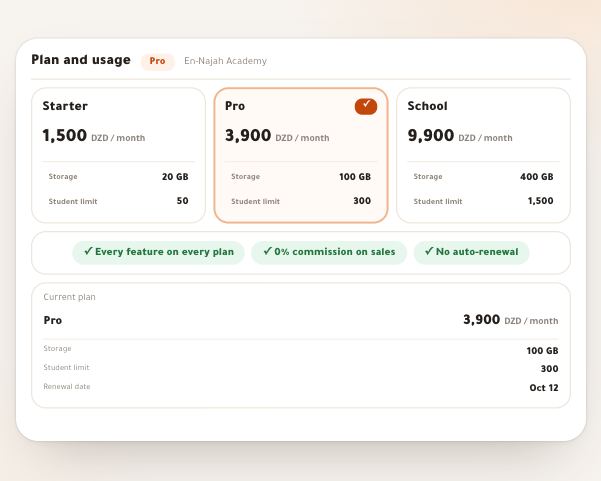
- Plan and usageDirassa Plus has three plans that differ in two things only: the number of students and storage. Every feature is on every plan, with no commission on your sales. The “Plan and usage” page tells you where your subscription stands, what comes next, and how many seats and how much storage you use. You pay or renew on the subscription page by CCP or BaridiMob transfer with a photo of the receipt, and move to a higher plan during a paid month by paying only the difference for the days left. Nothing is ever charged automatically: you pay each period yourself.5 steps · 5 minutes
- Phone appYour Dirassa+ workspace installs on your phone as an app: an icon on the Home Screen that opens your workspace in one tap, and a notification for every sale, receipt and question, even with the app closed. No store, no download: it installs from the browser in seconds and updates itself. It all lives on the “Phone app” page (“My account” → “Phone app”): whether the app is installed on this device, its notifications, what reaches you, and when. The example: Sara Makhloufi, video-editing trainer at “En-Nadjah Academy”, wants her phone to ring for every sale, and her assistant Karim Haddad for every student question. The same path for a fitness coach selling programmes, or a maths teacher following her class’s papers.5 steps · 3 minutes
- The InboxThe “Inbox” gathers in one window what waits for a decision from you across your dashboard: a receipt to accept, a student’s question, a paper to mark, a request to join a space, a message from a site visitor. Each row carries the person’s name and is settled in place without opening its page. Its second tab, “News”, holds your notifications: bookings, lives, sales, replies and security alerts.5 steps · 4 minutes
- AppsYour academy — courses, students, money and site — works on its own. Everything else is an app you add when you need it: community, bookings, lives, store, partners, school, Dirassa Studio and organization. An added app opens its section in your dashboard, and where it fits a tab for your students and pages on your site; hide it whenever you like, and nothing is ever deleted.4 steps · 3 minutes