All parts
Organization
Your tasks, your schedule and your team’s projects in one place.
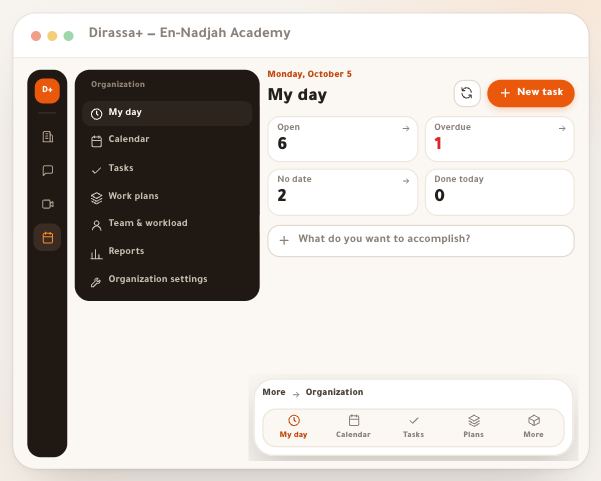
- Organization at a glance“Organization” is a section of its own, next to “Academy” and “Community”, for your work rather than your students: what you have to do today, your appointments, live classes and bookings in one calendar, work plans that break a big goal into dated tasks, and who is working on what in your team. Students see none of it. In this lesson: how to open it on a computer and a phone, what “My day” holds, its seven pages and what each is for, and who can do what. The example: Amine Belkacem’s “En-Nadjah Academy” and his team — Sara Makhloufi, video-editing trainer, Nour El Houda, photography trainer, and Karim Haddad, who follows up students and receipts — preparing the launch of the “Video colour grading” course. The same logic fits a marketing coach planning a campaign, or a teacher organising exam revision with colleagues.4 steps · 5 minutes to read
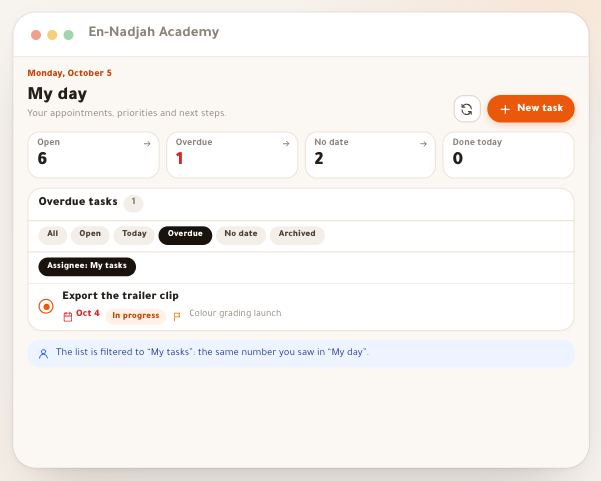
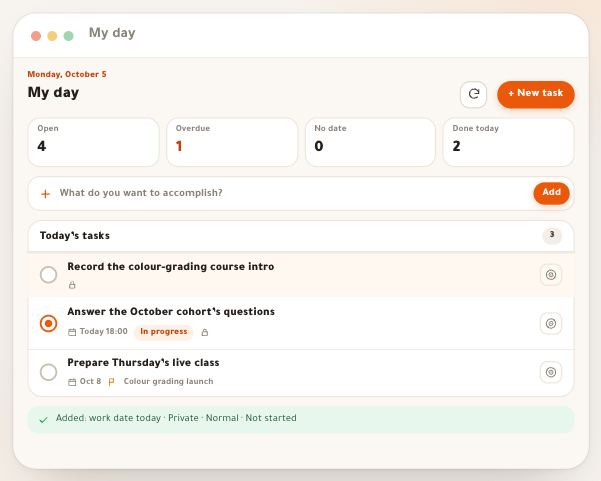
- My day“My day” is the first page of “Organization”, built for one question: what do I do now? It holds four numbers about your tasks, three slots for the three tasks that matter most today, a field that adds a task in a second, the list of what is assigned to you for today and what is overdue, and on the side your appointments, bookings and live classes for the next seven days. Everything on it is yours: nobody sees your priorities, and your tasks don’t mix with the team’s. The example: Monday 5 October in the morning at Sara Makhloufi’s, video-editing trainer at “En-Nadjah Academy”, while the team prepares the launch of the “Video colour grading” course. The same page serves a marketing coach juggling campaigns and calls, or a teacher between marking and revision classes.5 steps · 5 minutes to read
- Create a taskIn “Organization”, a task is the smallest unit of work: a title, a day to work on it, a deadline, an assignee. You write it in two seconds from “My day”, or open the “New task” panel to set everything: status, priority, deadline down to the hour, assignee and who can see it. Then you link it to the course, space or booking it belongs to, choose a reminder before the deadline, and inside a work plan split it into subtasks. We follow the En-Nadjah Academy: Amine Belkacem is preparing the launch of the “Video colour grading” course with Sara Makhloufi, the editing trainer, Karim Haddad, who looks after students and receipts, and Nour El Houda, the photography trainer. The method is the same for a marketing coach preparing a campaign, or a teacher organising exam revision with colleagues.6 steps · A minute for a full task, two seconds for a quick line
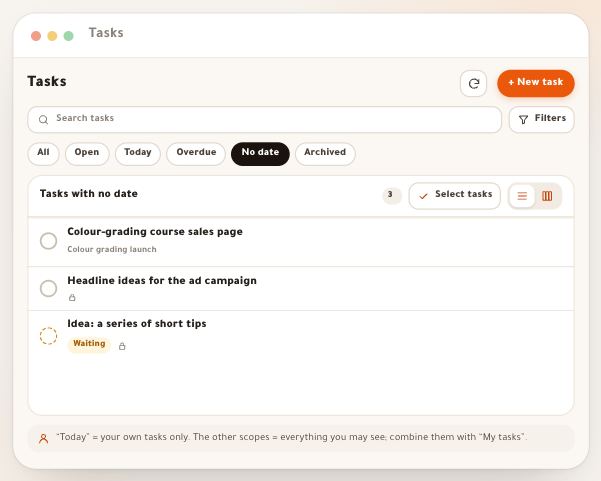
- View and sort tasksWhen tasks pile up, writing them down isn’t enough: you need to see them at the right moment. The “Tasks” page shows everything you’re allowed to see, with tools to focus: a scope that narrows the list to open, overdue or undated tasks, the “Board” with its five columns, search and filters by status, plan and assignee that you save under a name and reapply in one tap, and a selection that changes the status, work date or assignee of dozens of tasks at once. We follow Amine Belkacem and his team at the En-Nadjah Academy as they launch the “Video colour grading” course; the method is the same for a marketing coach tracking a campaign, or a head teacher sharing out exam revision among colleagues.6 steps · Two minutes to arrange your list
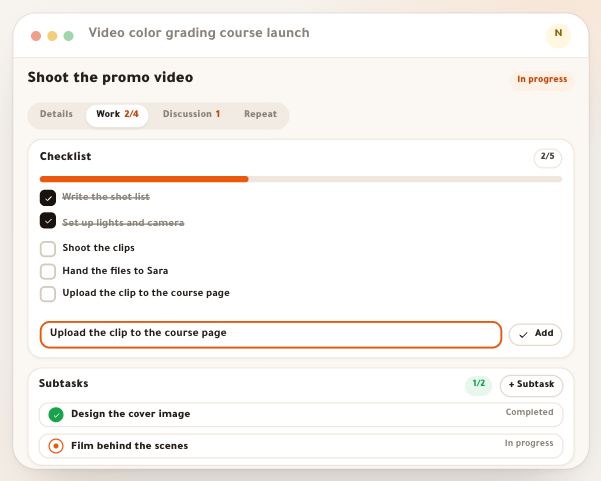
- Working a taskCreating the task is half the job; the other half happens in its panel. A saved task opens on four tabs: “Details” for what you know about it, “Work” for what you do in it, “Discussion” for what is said about it, and “Repeat” to make it come back. This lesson covers the day-to-day work: splitting it into checklist steps with a progress bar, linking it to tasks that must be done first, recording the time you actually spent, commenting and choosing who gets notified, then closing it and reading its history. The example comes from “En-Nadjah Academy”: Nour El Houda, a photography trainer, shoots the promo video for the “Video color grading” course inside the launch plan Amine Belkacem runs. The method is the same for a marketing coach preparing a campaign or a teacher preparing exam revision.5 steps · 6 minutes to read
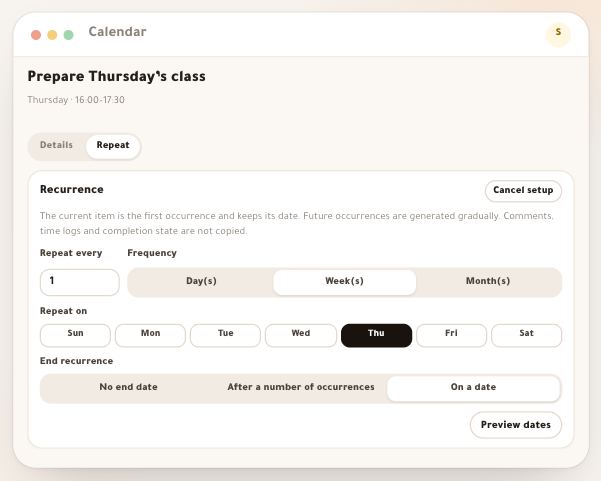
- Recurring workSome work comes back every week: answering student questions on Sunday, publishing the week’s summary, preparing Thursday’s class. Instead of creating it each time, make it recur: you set the rule once and the platform creates the next occurrences by itself, each with its own date and reminder. This lesson covers setting it up for tasks and appointments, the rules, editing one occurrence or all of them at once, moving the dates, pausing or ending a series, and who may edit a shared one. The example comes from “En-Nadjah Academy”: Karim Haddad’s weekly task “Answer student questions”, and Sara Makhloufi’s Thursday slot to prepare her “Video color grading” class. The logic is the same for a marketing coach posting a campaign two days a week or a teacher grading homework every Sunday.5 steps · 7 minutes to read
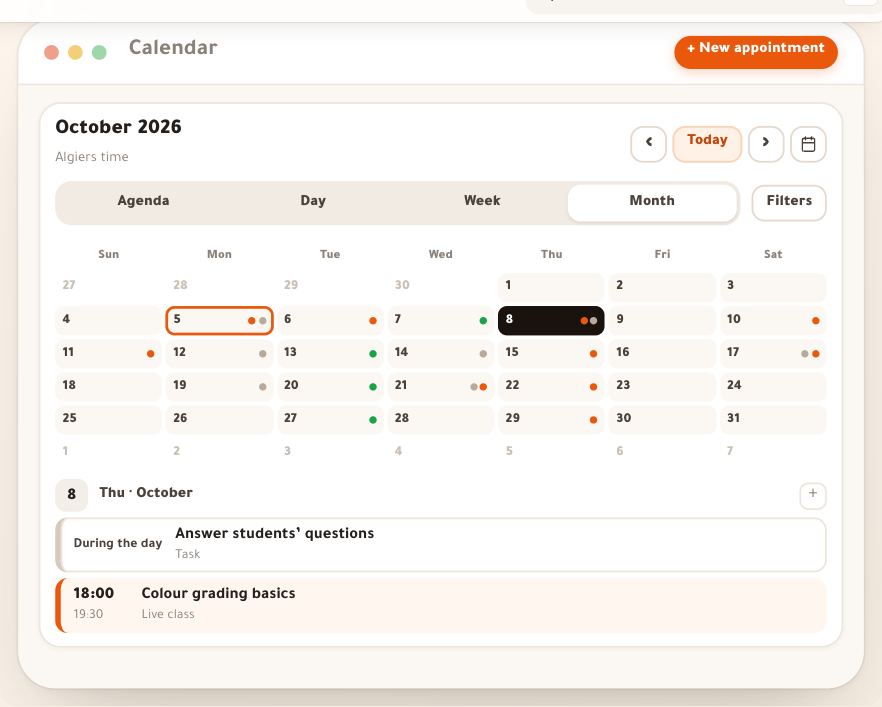
- Calendar & appointmentsBefore the “Calendar”, your live class lived on one page, your students’ bookings on another, and your calls in your phone. Here they come together: the live classes you scheduled, your “Bookings” sessions, dated tasks and your own appointments. In this lesson you pick a view, learn where each line comes from, create an appointment with a reminder, let the platform check the slot is free, then complete, cancel or restore an appointment, and reserve time for focused work. The example is “En-Nadjah Academy”, run by Amine Belkacem: the live class “Colour grading basics” on Thursday evening, a follow-up call with a student, the weekly team meeting and the editing hours Sara Makhloufi reserves. The same logic works for a marketing coach laying out a campaign week, or a teacher bringing revision classes and the parents’ meeting together.6 steps · 6 minutes to read
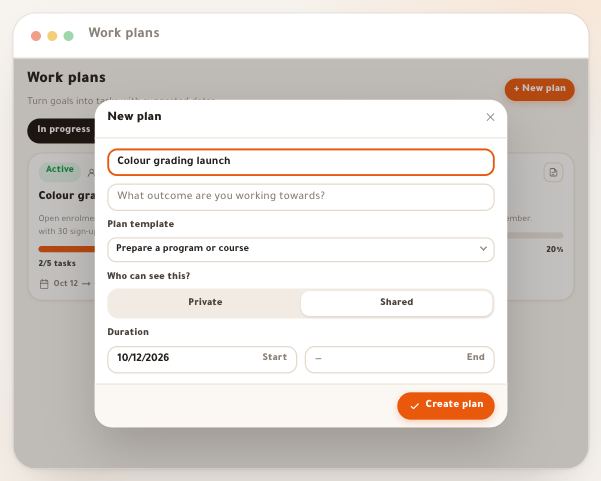
- Work plansLaunching a new course isn’t one task: it’s a goal, ten steps, dates, and people who each take a part. “Work plans” put all of it on one page: you start from a template that writes the tasks with suggested dates, add milestones that measure progress, bring in the team with their roles and gather the file links, so everyone sees where you stand. In this lesson Amine Belkacem, who runs “En-Nadjah Academy”, builds the plan “Colour grading launch”: Sara Makhloufi leads the content, Karim Haddad handles enrolments and receipts, and Nour El Houda shoots the sales page photos. The method is the same for a marketing coach planning an enrolment campaign, or a teacher organizing exam revision with colleagues.6 steps · 6 minutes to read
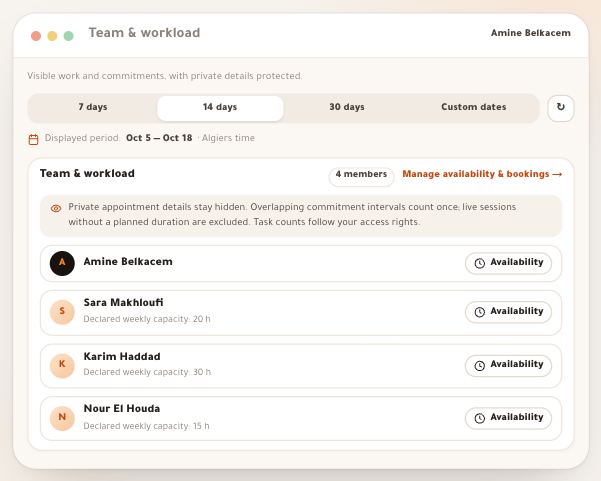
- Team and reportsTwo pages in Organization for whoever runs a team: “Team & workload” looks ahead — who carries how many tasks right now, who is busy how many hours in the coming days. “Reports” looks back — what got done in the period, how much of it on time, and where lateness is piling up. Every number comes from real records with a fixed definition, and this lesson gives you each definition word for word, so you never read a number the wrong way. The example: “En-Nadjah Academy”, run by Amine Belkacem with Sara Makhloufi (video-editing trainer), Karim Haddad (assistant for students and receipts) and Nour El Houda (photography trainer), preparing the launch of the course “Video color grading”. The same logic holds for a marketing coach splitting a campaign across a team, or a teacher coordinating exam revision with colleagues.4 steps · 6 minutes to read
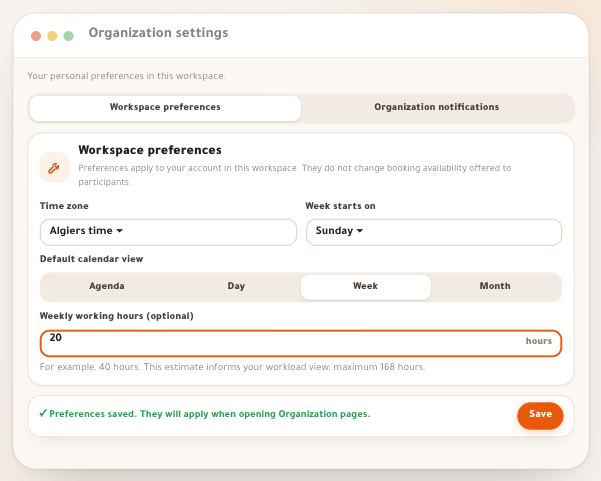
- Settings and reminders“Organization settings” belong to you alone in the workspace: which time zone your appointments are read in, which day your week starts, which notification reaches you and when. Here is every setting, then a reminder’s whole journey: from the “Reminder” field of a task or appointment, to the moment it is computed, through quiet hours, to “Notifications” in the “Inbox”, and to your phone if you turn notifications on in “Phone app”. The example: “En-Nadjah Academy” — Amine Belkacem wants no disturbance after 10 pm without missing his morning appointment, Sara Makhloufi follows a task for the course “Video color grading”, and Karim Haddad wants his reminders on his phone. The same logic for a marketing coach following a campaign, or a teacher whom Organization reminds to mark the class’s papers.5 steps · 6 minutes to read