All parts
Communities
Discussion communities with your students.
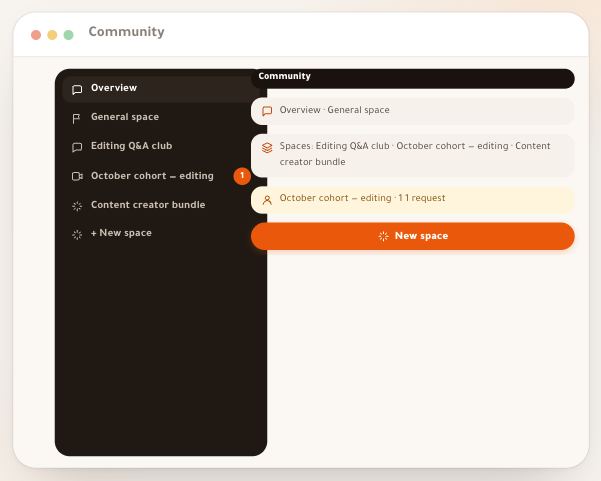
- Community and spacesThe “Community” section is where your students stay with you after the lesson: they ask, discuss, read your announcements, vote and come to your events. It holds two things: the “General space”, which every school has and all your students read, and the “Spaces” you create for a specific audience — a free Q&A club for a course’s buyers, a paid monthly cohort for a group, or an invite-only bundle that opens your courses. This lesson is the map of the whole section; each part has its own detailed lesson. The example: Sara Makhloufi, a video-editing trainer at En-Nadjah Academy; spaces work the same way for a photography trainer, a marketing coach or a school teacher.5 steps · 3 minutes to read
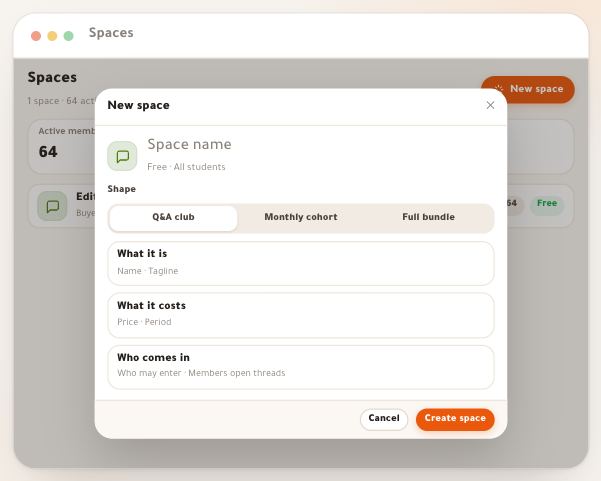
- Create a spaceA space is a corner of your “Community” with its own name, colour and members, its own feed and questions. It can be a free Q&A club for the buyers of a course, a paid monthly cohort for one group, or a full bundle by invitation that opens your courses while the subscription runs. Each is made in a single sheet in two minutes, and the sheet reads back exactly what the space will do before you create it. We follow Sara Makhloufi, a video-editing trainer at En-Nadjah Academy, as she creates her three spaces; the same steps serve a photography trainer gathering students in a club, a marketing coach selling monthly follow-up, or a school teacher opening a space for an exam class.7 steps · 3 minutes per space
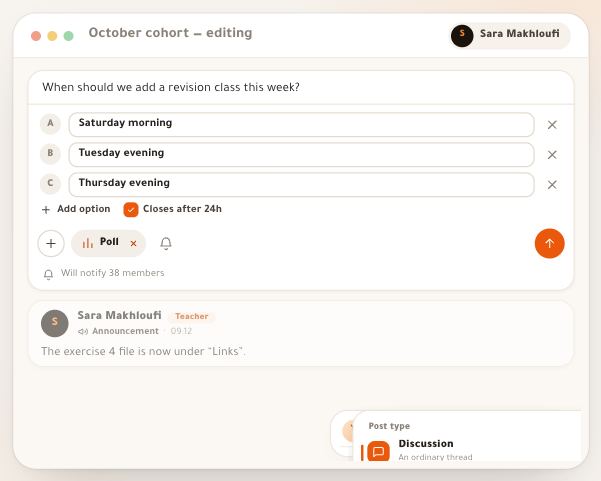
- Post typesIn each space’s “Feed” you write to your students, and a post is more than text: nine types, each with its own look and behaviour. A “Discussion” opens a conversation, a “Question” gathers answers and you accept the best, an “Announcement” pins above everything, a “Poll” settles a date with them, a “Quiz” checks understanding in a second, a “Challenge” hides their answers until a time you choose, an “Event” gathers attendance for your class, a “Clip” plays your video inside the post, and a “Resource” files a useful link under the “Links” tab. Here is each type step by step: how to write it, and how a student sees it. The example: Sara Makhloufi, a video-editing trainer at En-Nadjah Academy, in her spaces “October cohort — editing” and “Editing Q&A club”; the same types serve a photography trainer running a photo of the week, or a teacher revising with a class before an exam.11 steps · A minute per post
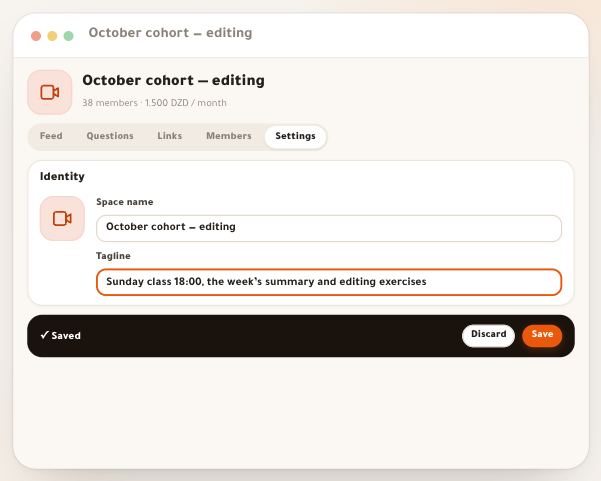
- Space settingsEvery space’s “Settings” tab holds what you decided when you created it, and what can only be decided here: more than one rule for who comes in, what reaches members as notifications, the payment methods for this offer, archiving and restoring. Each part saves its own way, so learn which before you start. The examples are Sara Makhloufi’s spaces at En-Nadjah Academy: the free “Editing Q&A club”, “October cohort — editing” at 1,500 DZD a month and “Content creator bundle” at 4,000 DZD a month. A photography trainer, a marketing coach or a high-school teacher will find exactly the same settings.7 steps · 5 minutes
- Free and paidEvery space is free or paid, and the difference is more than the price: a free space opens in one tap or on a request you accept, and membership never ends. A paid space is bought as a subscription for a period: the student picks how to pay; a postal transfer comes with a receipt you check, while EDAHABIA or CIB lets them in at once. The period starts when the payment is confirmed, a renewal adds to what is left, and without one the space and its courses close by themselves. All of it here, then three worked examples with numbers from the spaces of Sara Makhloufi, a video-editing trainer: a free club, a monthly cohort at 1,500 DZD, and a bundle at 4,000 DZD by invitation. The logic is the same for a photography trainer selling monthly follow-up, or a teacher opening paid revision before an exam.7 steps · 6 minutes to read
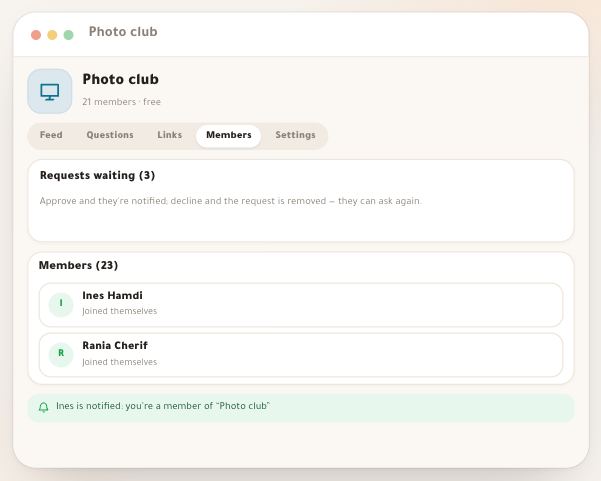
- Space membersA space lives through its members. In the “Members” tab you approve those who ask, add students yourself, see for each one how they came in and until when, extend someone who paid you cash, and remove whoever should leave. Beside the space, a small panel tells you every day how it’s doing: the “Space health” score, what waits for you “Today”, who takes part and who has gone quiet. And your inbox gets join requests and your students’ questions, so nothing slips. The example: Sara Makhloufi, the video-editing trainer, in “October cohort — editing” (38 members) and the “Photo club”, a free space “On approval” run by the school’s photography trainer; the same tab serves a trainer following a cohort or a teacher following a class.6 steps · 4 minutes
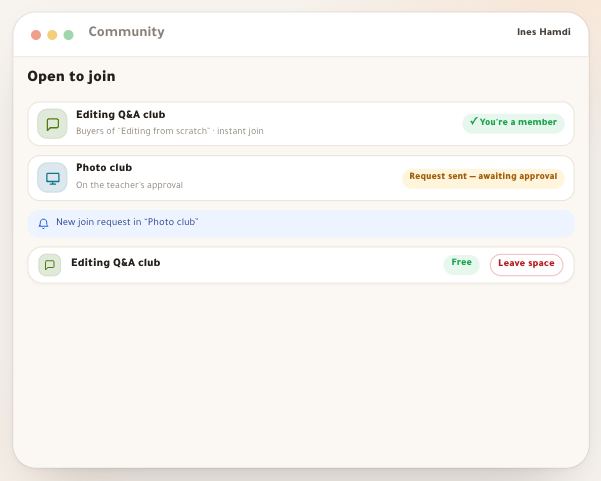
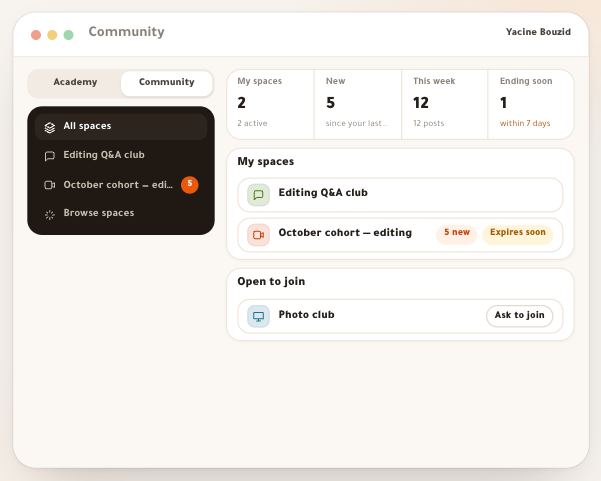
- What students seeWhen you open a space, it helps to know what your students see: where they find it, how they get in, what they do inside, how they control its notifications, and what happens as their subscription nears its end. Then you can explain it all in one message, and you know why someone asks “where is the space?”. We follow Yacine Bouzid and Ines Hamdi, students in Sara Makhloufi’s video-editing courses; the experience is the same for a photography trainer’s student, a marketing coach’s subscriber or a pupil in an exam class.5 steps · 3 minutes to read