All parts
Support and contact
Your students’ questions, your site’s messages and the Dirassa+ team.
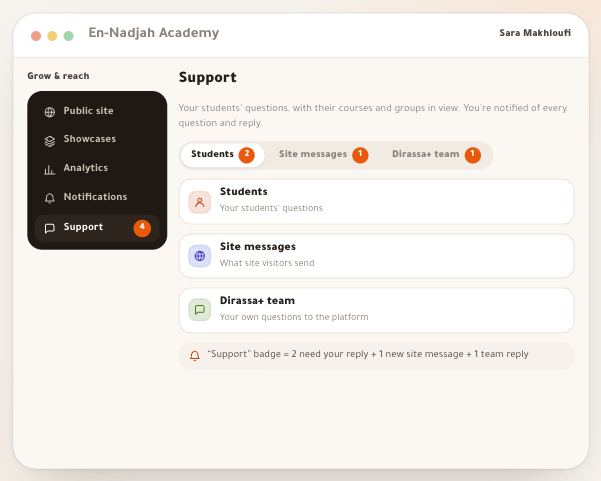
- Student questionsEverything people write to your school lands in one list in your dashboard: students’ questions from “Support” in their portal, questions asked from inside a lesson with the moment in the video, and messages from your site’s visitors. Every new one reaches the phone and the “Inbox” of everyone at your school who answers support. The list starts with what **needs your reply**, and when you open a question the student is one click away: their name opens their card, with their courses, progress and last order. You answer with text, a photo or a saved reply, or ask Noqta for a draft you read before sending. One full example throughout: Sara Makhloufi, video-editing trainer at “En-Nadjah Academy”, and her assistant Karim Haddad answer Yacine Bouzid, whose lesson 3 video in “Video editing from scratch” keeps stopping. The same page works for a marketing coach answering clients or a school teacher answering pupils about homework.6 steps · 8 minutes of reading
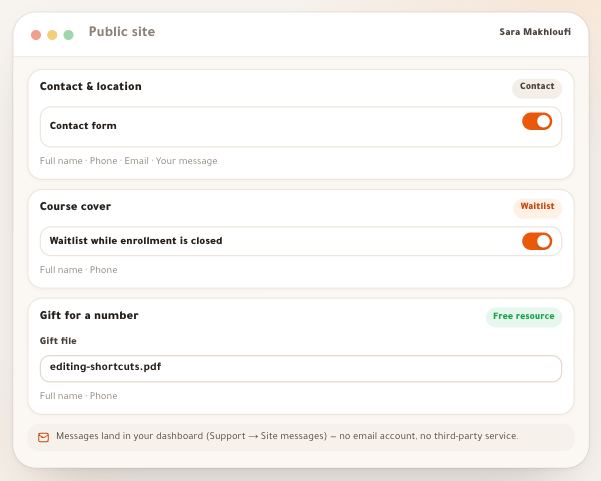
- Site messagesA visitor to your site isn’t a student yet: no account, but they may ask about the next session, want to hear when enrollment opens, or leave their number for a free file. All of it lands in “Support”, in the same list as your students’ questions, under **“Site visitors”**, with a row in the “Inbox” and a notification on the phone. Because the visitor has no account, there’s no conversation in the platform: you answer them **by email from the platform** when they left an address — it reaches them under your academy’s name, and their answer lands in your mailbox —, or on WhatsApp or by phone in one click. In this lesson, the site of Sara Makhloufi, video-editing trainer at “En-Nadjah Academy”: Amine Kacimi asks when the next session starts, Nesrine Amrani waits for “Video editing from scratch” to open, and Walid Saadi asks for the free “Editing shortcuts cheat sheet”. The same goes for a photographer collecting shoot requests or a marketing coach giving away a guide.5 steps · 5 minutes of reading
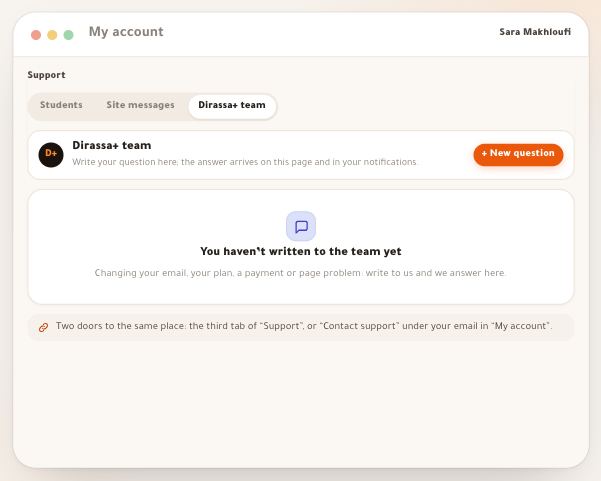
- Dirassa+ teamSome questions nobody at your school can answer: changing your account email, a question about your plan, a payment that doesn’t show, a page that doesn’t work. For all of these there is a page of its own: **“Dirassa+ team”**. You write, the platform team receives it directly, and the answer arrives on the same page, in the “Inbox” and on your phone. No address to look up, no number to wait on. In this lesson, Sara Makhloufi, owner of “En-Nadjah Academy”, asks to change her account email, and her assistant Karim Haddad asks about a page. The same goes for a marketing coach asking about their plan or a photographer whose payment doesn’t show.4 steps · 4 minutes of reading
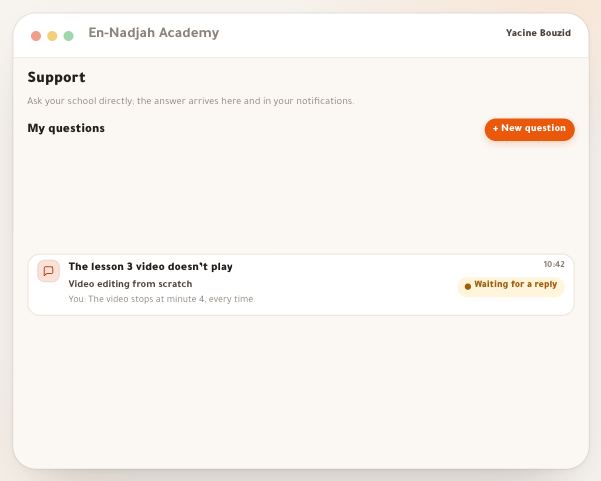
- Support for studentsTo tell your students where to ask, it helps to see what they see. Your school’s portal has a **“Support”** page: the student asks about a lesson, a payment or their account, attaches a photo of the exercise or the receipt if they like, your team receives it with a notification, and the answer arrives on the same page and in their notifications, under the name of whoever answered. They always know where their question stands: sent, seen by your teacher, reply received. In this lesson, Yacine Bouzid, a student in Sara Makhloufi’s “Video editing from scratch” at “En-Nadjah Academy”, reports the lesson 3 video, and Karim Haddad answers. The same path serves a language student asking about pronunciation, or a trainee who photographs an exercise to show their trainer.4 steps · 5 minutes of reading