All parts
Ads and tracking
Tie your Meta and TikTok ads to your real sales.
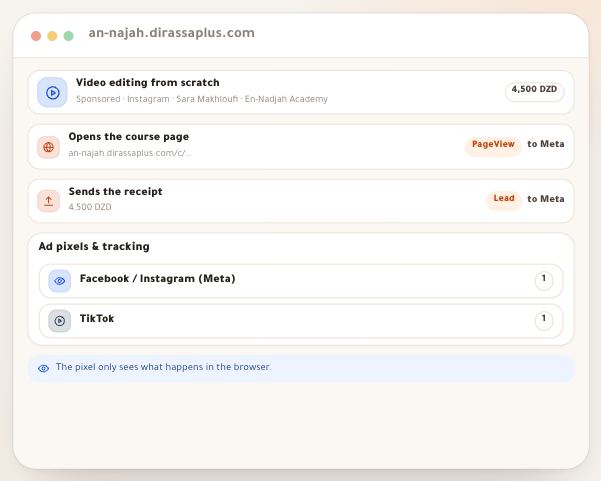
- Meta and TikTok pixelsWhen you advertise on Facebook, Instagram or TikTok, the ad network needs to know what happened after the click: did the visitor reach your site? Did they place an order? That is the **pixel**’s job: a small script from Meta or TikTok that runs on your pages and tells them. On Dirassa Plus you paste no script: you type only the **pixel ID** in “Tracking”, and the pixel runs on your school’s pages. One example runs through the lesson: Sara Makhloufi, a video-editing trainer at “En-Nadjah Academy”, advertises her course “Video editing from scratch” (4,500 DZD) on Instagram and TikTok and wants to know which ad brings orders. The same goes for a marketing coach promoting a workshop, a photographer selling a course, or a teacher advertising tutoring. The pixel is half the story: the confirmed sale is sent from the server, which is the “Conversions API” lesson.6 steps · 10 minutes to set up
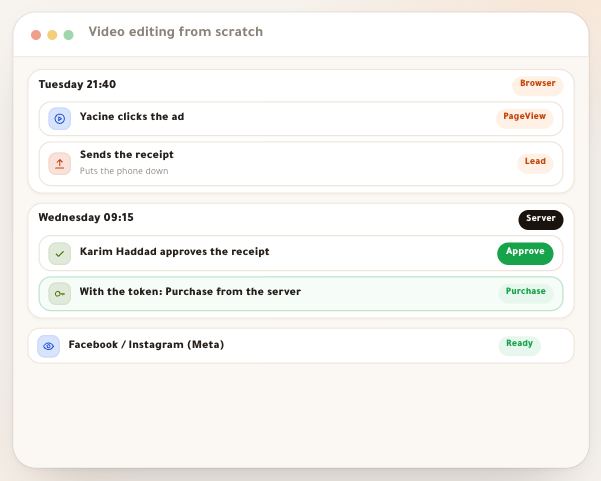
- Conversions APIIn Algeria most sales don’t happen in a single moment: the student transfers by CCP or BaridiMob, uploads the receipt and closes the page, and you approve the receipt hours later or the next day. At that moment no browser is open, so the pixel **cannot** report the sale. The **Conversions API** (Meta) and the **Events API** (TikTok) solve this: Dirassa Plus’s own servers tell the ad network about the order when it is sent and about the confirmed sale when you approve it, and tie both to the ad click. Your part: generate a **token** in Events Manager and paste it in “Tracking”. One complete example: Sara Makhloufi, a video-editing trainer at “En-Nadjah Academy”, advertises “Video editing from scratch” (4,500 DZD). Yacine Bouzid pays by CCP receipt on Tuesday evening, Karim Haddad approves it on Wednesday morning, and the sale reaches Meta tied to the Instagram ad Yacine clicked. The same goes for a marketing coach selling a workshop, or a photographer selling a pack of sessions.7 steps · 10 minutes to set up